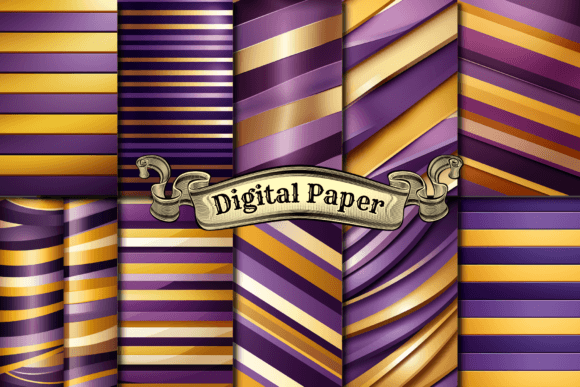
Digital Paper for Print on Demand and Creative Projects: A Practical Guide
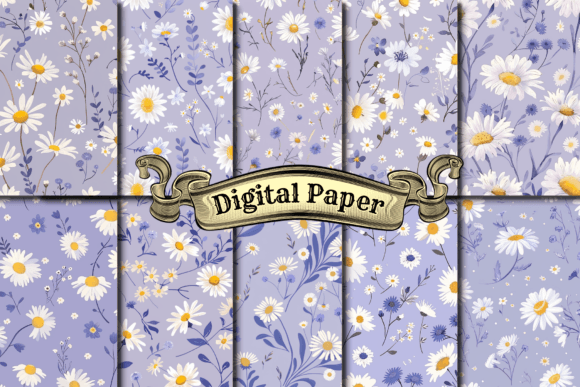
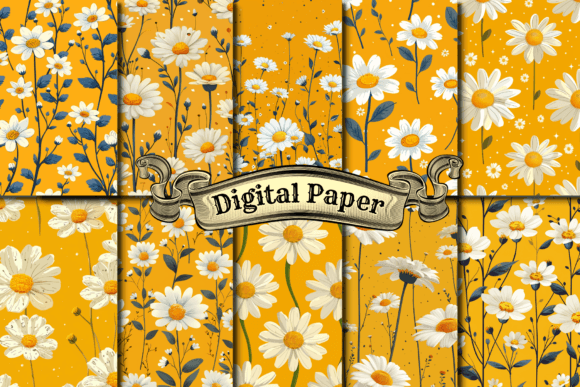
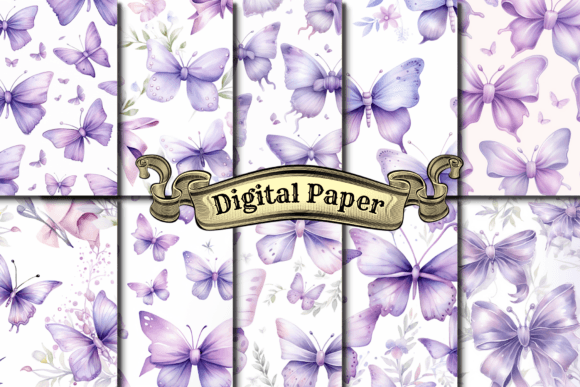
If you have browsed design marketplaces or craft supply sites recently, you have likely encountered collections labeled digital paper. These are not sheets you feed through a printer—at least not in the traditional sense. Digital paper refers to high-resolution image files, typically in JPG or PNG format, that contain repeating patterns, textures, or illustrated designs. They are used as digital assets in a wide range of creative and commercial work, from print-on-demand merchandise to Cricut projects and website backgrounds.
This article breaks down what digital paper actually is, how it compares with other design resources, and how to decide whether a particular set fits your needs. The goal is not to sell you on one solution but to help you evaluate options clearly, whether you are a small business owner, a hobbyist crafter, or a designer exploring new workflows.
What Makes Digital Paper Distinct
A typical digital paper set includes multiple pattern files, often saved at 4000 x 4000 pixels per design. That resolution matters because it gives you flexibility. At 300 DPI, a 4000-pixel square translates to roughly 13 by 13 inches of printed area, which is large enough for many products such as phone cases, home decor items, and apparel graphics. The files are usually delivered as both JPG and PNG, so you can choose between smaller file sizes with no transparency (JPG) or formats that support a transparent background where needed (PNG).
Unlike a single illustration or a vector icon pack, digital paper is built around repeatable surface patterns. The design is intended to tile seamlessly or near-seamlessly across a surface, making it suitable for fabric printing, wrapping paper, notebook covers, and other applications where the pattern should continue without obvious edges. This repeatability is a key distinction from standalone clip art or one-off graphics.
Another distinguishing factor is the volume. A set often contains 10 or 12 coordinated patterns, which gives you variety within a consistent style or color palette. This can save you time when you need multiple options for a product line or a themed collection.
Digital Paper Versus Other Design Resources
To decide whether digital paper is right for a project, it helps to compare it with the most common alternatives people consider: vector pattern packs, individual illustrations, textured backgrounds, and CSS patterns for web use. Each has different strengths and limitations.
Vector Pattern Packs
Vector files (such as SVG or EPS) are resolution-independent. You can scale them up to billboard size without any loss of quality, and you can edit colors, shapes, and layout directly in vector editing software. Digital paper, being raster-based, is fixed at the resolution it was exported. If you need to scale a pattern far beyond its original dimensions, you may encounter pixelation. That said, 4000 x 4000 pixels is large enough for most common POD products, wall art prints up to medium sizes, and digital screens. For many users, the tradeoff is acceptable because raster patterns often have richer texture and more complex shading than vectors can easily replicate.
Individual Illustrations or Clip Art
Single illustrations are ideal when you need a focal image for a t-shirt, a poster, or a logo. Digital paper, by contrast, is designed for surface coverage. If your goal is a centered graphic with empty space around it, a pattern set may not be the best resource. However, if you are designing a fabric, a notebook cover, or a wrapping paper sheet where the entire surface should be covered with a print, digital paper is more appropriate.
Textured Backgrounds and Photography
Photographic textures and abstract backgrounds are sometimes grouped with digital paper, but they serve different roles. A paper texture or a marble photograph might be used as a subtle backdrop for text or product photos. Digital paper patterns are usually more illustrative and decorative—they are meant to be noticed as part of the design itself, not just as a neutral canvas. If your project calls for something understated, a plain texture or a solid color might work better. If you want visible patterns, florals, geometrics, or themed motifs, digital paper is the stronger choice.
CSS or Web Graphics
For website backgrounds and digital interfaces, developers sometimes use CSS patterns or small tileable images. Digital paper at 4000 x 4000 pixels is overkill for a browser background and will result in slower load times unless you resize the file. For web use, a dedicated CSS pattern library or a smaller optimized tile is usually more practical. Digital paper is better suited for printed products and high-resolution digital assets like shop banners and social media graphics where resolution matters.
Strengths of Digital Paper for Common Use Cases
The patterns described in this set are designed for a wide range of applications, and for several of them, digital paper offers clear advantages.
Print on Demand (POD). If you sell on platforms like Printful, Printify, Redbubble, or Amazon Merch, you need designs that work across multiple product mockups. A 4000 x 4000 pixel pattern can be scaled down for phone cases, resized for t-shirt prints, or used as a seamless overlay for home decor items such as throw pillows, tote bags, and duvet covers. Having a coordinated set means you can offer a collection without designing every pattern from scratch.
Cricut and Silhouette Projects. For cutting machines, digital paper can be imported into Design Space or Silhouette Studio and used as a fill for shapes, as a printable material for sticker sheets, or as a background for card making. The PNG format with transparency is especially useful when you want the pattern to sit behind cut-out text or images.
Wall Art and Printable Decor. At 4000 pixels square, these files can produce prints up to roughly 13 inches at 300 DPI. That is suitable for standard wall art sizes like 8x10, 11x14, or 12x12 inches. If you need larger prints, you may need to upscale using software or choose a vector alternative, but for many home decor uses, this resolution is sufficient.
Stationery and Planners. Notebook covers, planner inserts, sticker sheets, and printable stationery benefit from patterned backgrounds. A set of 10 to 12 coordinating designs gives you variety across a product line while maintaining a cohesive brand look.
Limitations and Tradeoffs to Consider
No resource is universal. Digital paper has constraints worth understanding before you purchase or start a project.
Fixed resolution. As mentioned, these are raster files. If you scale them beyond 4000 x 4000 pixels, quality degrades. For large-scale fabric printing or oversized wall murals, vector patterns or custom designs may be necessary.
Limited customization. Unlike a vector file where you can change colors or elements easily, modifying a raster pattern requires image editing software and a fair amount of skill. If you need to match a specific brand color exactly or adjust the scale of the pattern, a raster set may not give you that control.
Pattern repetition. While many digital paper sets are designed to tile seamlessly, not all achieve perfect seamlessness. If you plan to tile the pattern across a large surface, you will want to test it first. Some sets include a seamless repeat; others are single-image designs that require manual tiling.
Volume versus relevance. A pack of 10 or 12 patterns is useful only if you actually like and can use a majority of them. If only two or three designs fit your project, the value diminishes. Look at preview images carefully and consider whether the collection as a whole aligns with your brand or theme.
When Digital Paper Is the Right Choice
You will benefit most from a digital paper set when:
- You need multiple coordinated patterns for a product line or a themed collection.
- Your output size is within 13 inches on the longest side (or you are comfortable upscaling for larger prints).
- You prefer rich, textured, or illustrated designs over flat, editable vectors.
- You work with print-on-demand, craft cutting machines, or digital backgrounds where fast turnaround matters.
- You want to minimize the time spent creating patterns from scratch while still having variety in your offerings.
When You Might Need Another Option
Consider alternatives when:
- You require large-format printing, such as fabric rolls, wallpaper, or oversized posters.
- You need to edit colors or elements frequently and want full control.
- Your project is web-based and requires optimized, lightweight files for fast loading.
- You only need a single focal graphic rather than a repeating surface pattern.
- You need a very specific size or aspect ratio that does not match the square format.
Practical Tips for Evaluating a Digital Paper Set
Whether you are buying or creating, these criteria will help you assess quality and fit.
- Check the resolution. 4000 x 4000 pixels at 300 DPI is a solid benchmark for most print projects. Lower resolutions may limit your output size.
- Look at the format. Having both JPG and PNG gives you flexibility. JPG is smaller and fine for most prints; PNG preserves transparency, which is critical for overlays and cut files.
- Test the seamlessness. If tiling matters for your project, request a seamless tile or test the design yourself in your editing software.
- Review the style consistency. A good set feels cohesive across all patterns—similar color harmony, design language, and level of detail. This makes it easier to mix and match within a collection.
- Consider the license. For commercial use, especially POD and branding, confirm that the license covers your intended application. Some digital paper sets limit the number of products you can sell or require attribution.
Making an Informed Decision
Digital paper sits in a specific niche between raw design resources and finished products. It saves time by providing ready-to-use patterns that can be dropped into multiple projects with minimal editing. At the same time, it requires you to accept certain constraints around resolution, customization, and format.
For anyone working with print-on-demand, craft cutting machines, stationery, or digital backgrounds, a well-chosen set can streamline your workflow and help you launch products faster. The key is matching the pattern style and file specifications to your specific output needs. When the resolution fits your print size and the aesthetic aligns with your brand or theme, digital paper becomes a practical, efficient tool. When your requirements exceed those boundaries—larger scale, full editability, or specialized formats—other resources will serve you better.
By understanding these tradeoffs, you can select the right set for each project, avoid wasted time on mismatched assets, and focus your energy on the creative decisions that truly matter.